Do you need a new LESCO connection or want to know how to apply for a LESCO electricity connection? Or are you looking for the procedure to change your current connection name, meter load, or tariff? You will find complete details about the Demand Notice and applicable fees here.
Don’t worry — we provide a complete solution to all your queries. We are here to guide you with all the necessary information available.
In this article, we will explain step by step the full process of obtaining a new LESCO connection. If you want to check your bill, simply visit the “LESCO Bill Check” page and get your duplicate bill instantly
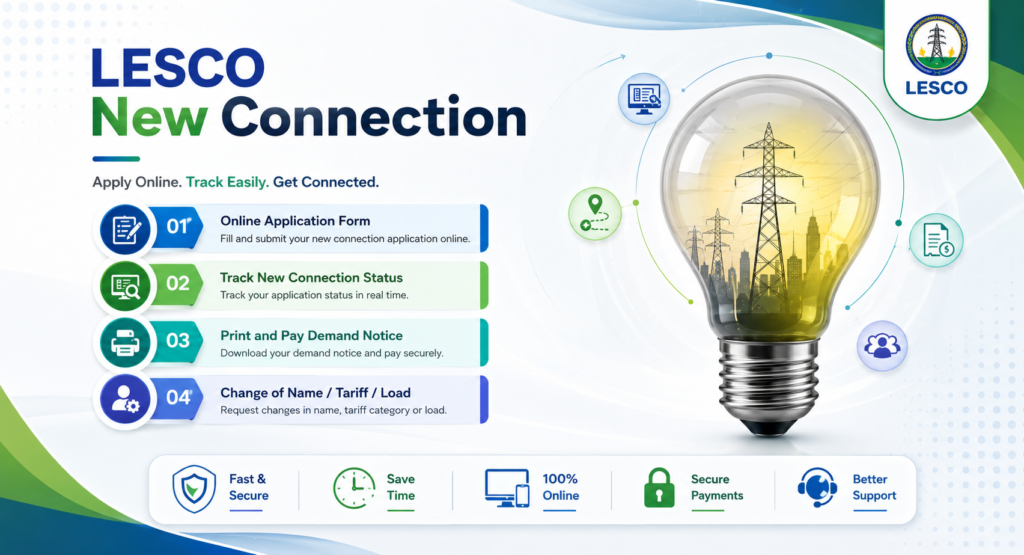
We will also guide you on how to change your existing connection name, load, and tariff. You will get complete step-by-step instructions for all related procedures.
📑 Table of Contents +
- How to Apply
- Documents Required for LESCO New Connection
- Printing and Submission of Application
- Demand Notice (DN)
- New Connection Application Tracking
- Installation of Meter
- Time Required Category-Wise
- Category-1 (1kW–15kW)
- Category-2 (16kW–70kW)
- Category-3 (71kW–500kW)
- Change Connection Name / Load / Tariff
- Required Attachments
- Submitting Application
- Print Demand Notice & Pay Fee
- Conclusion
- FAQs
How to Apply
The government has introduced a centralized web portal for new electricity connections nationwide. Now, people of Pakistan can apply for new connections, name changes, load changes, or tariff changes by visiting the official ENC website: https://enc.com.pk/
Select “Apply” from the left-side menu.
When you click on the “Apply” button, a new page will open.
Here you will see 4 tabs:
- Select Company
- Sub Division
- Category
- Reference Number
First of all, select the company LESCO.
Choose your Sub Division according to your area from the drop-down menu.
Select the Category according to your needs.
Enter the reference number of your neighbor.
Now, a detailed application form will open.
Select the connection type such as Domestic, Commercial, etc.
Enter your personal details including:
- Name
- Father’s Name
- CNIC
- Mobile Number
- Citizenship
- Address
Now provide your contact information (you can select the same as above if required).
Next, enter premises details such as:
- Number of already installed meters (if any)
- Minimum required load
- Installation address
You can also apply for a Green Meter or Net Metering if you have installed a solar system and want to sell excess electricity back to the national grid.
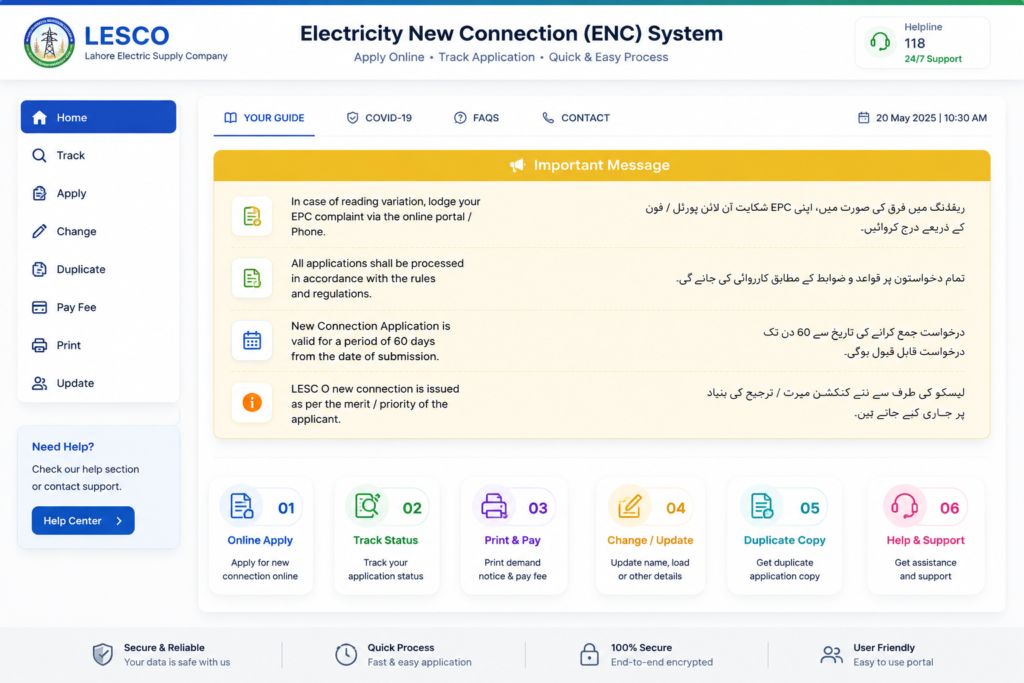
When you open the ENC web portal, you will see a complete application dashboard interface for submitting and tracking your request.
Documents Required for LESCO New Connection
You have to upload some required documents as files on the web portal. Below are the details of documents that must be uploaded online:
- Property document copy (Fard, Registry, or Property File)
- Attested copy of the applicant’s CNIC
- Attested CNIC copy of the witness
- Neighbor electricity bill copy
- Wiring Contractor Test Report
The most important requirement is that the file size must be less than 300 KB.
You also need to upload an Applicant Undertaking. When you click on the “I Agree” tab, you confirm your acceptance of the terms and conditions.
Now your application is ready to submit.
Click on Submit to proceed.
After submitting your online application, you will receive a Tracking ID for New Connection. Make sure to note it down, as it will be required to track your application status and download updates.
You can also use the Bill Calculator to estimate your electricity bill before receiving your original bill
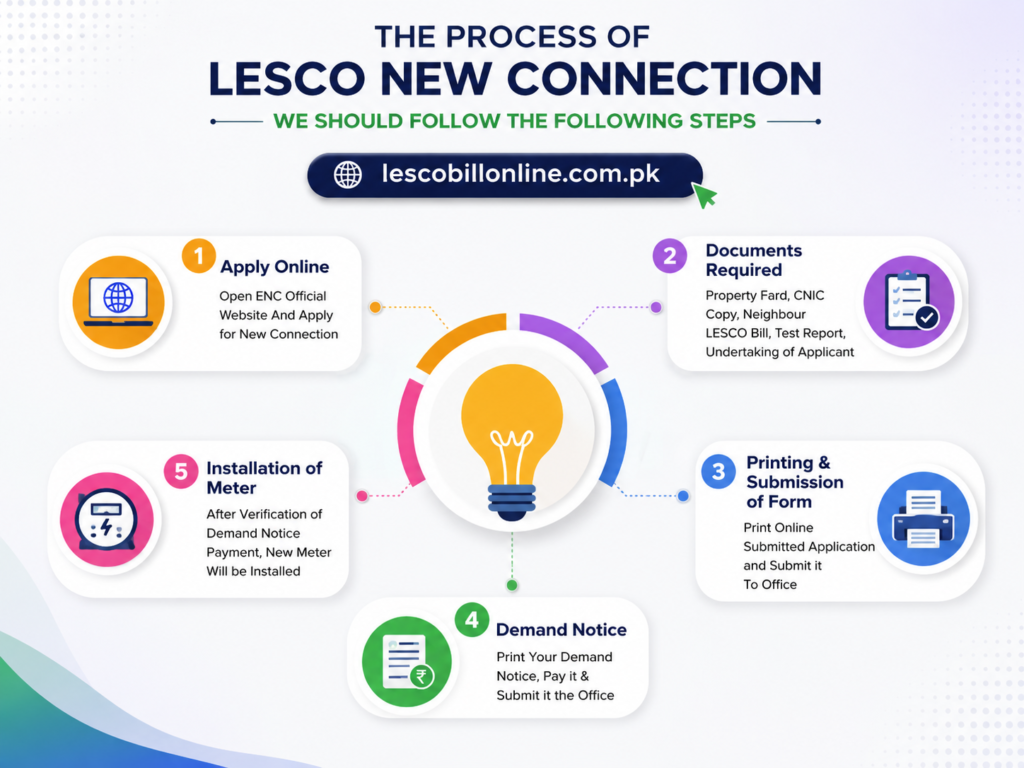
Printing and Submission of Application
- WAPDA focal persons will verify all submitted information and documents. For this purpose, they may also conduct a personal visit to verify your address and other provided credentials.
Demand Notice (DN)
- After successful verification, a Demand Notice (DN) will be issued. This notice includes the required connection charges, fees, and installation details that must be paid before further processing of your application.
Demand Notice ( DN )
Once your verification process is completed, you can easily print your Demand Notice (DN) online.
For this, visit the official ENC website: http://www.enc.com.pk
- Select “Print DN” option
- Enter your Tracking ID
- Your Demand Notice (DN) will be generated
After that, you can pay your DN fee at any designated bank branch.
Once the payment is completed, you can upload the paid DN back to the portal.
Finally, submit it to the concerned officer at the office for further processing of your New Connection Application
New Connection Application Trackin
Do you want to track your NEW CONNECTION APPLICATION STATUS? Don’t worry — you can easily track your application using the Tracking ID provided by the ENC system after submission.
Below is the complete step-by-step process to track your application:
🟢 Visit the ENC Website
Go to the official website: www.enc.com.pk
On the homepage, you will find the tracking feature on the left sidebar.
🟢 Click on Track Button
Click on the “Track” button available on the ENC homepage. This will open the tracking interface.
🟢 Select Application Type
You will see two types of applications. Select New Connection Application in this case.
🟢 Choose Company
A new form will appear. From the drop-down menu, select LESCO.
🟢 Enter Tracking ID
Now enter your Tracking ID provided by the ENC system after submitting your application.
🟢 Submit Request
Click on the Submit button to proceed.
After submission, the current status of your new connection application will be displayed instantly on the screen
Installation of Meter
After successful verification of the paid Demand Notice (DN), your new electricity connection will be approved.
Following approval, a new meter will be installed at your designated premises/location as per the submitted application details
Time Required for New Connection Category-Wise
There are 3 main categories of electricity connections based on load capacity:
- Category 1: Load up to 15 kW
- Category 2: Load from 16 kW to 70 kW (400 volts)
- Category 3: Load from 71 kW to 500 kW (400 volts)
Now, we will explain in detail the step-by-step process and the estimated time required for each category of new electricity connection.
Category 1 – Load Up to 15 kW (New Connection Process)
All consumers with a load of up to 15 kW fall under Category 1. The concerned SDO / Assistant Manager Operations handles applications for this category.
The estimated processing time for this category is approximately 30 days.
Below are the step-by-step process details along with the time required for each stage:
🟢 Application Processing Steps & Time
- After successful submission of the application, the office prepares a priority list report based on the Demand Notice payment date.
- After application submission, the office issues a receipt and assigns a seniority number in the register. — 1 Day
- The inspection team visits the site to check whether the connection can be provided easily and informs the applicant accordingly. — 3 Days
- If the connection is feasible, the estimated cost is prepared. — 2 Days
- The office issues the Demand Notice (DN) to the applicant either in person or via mail. — 2 Days
- The applicant submits the paid Demand Notice receipt to the office. — 2 Days
- The applicant submits the wiring test report, which is verified by the office. — 3 Days
- The office again prepares a priority list report based on the DN payment date. — 1 Day
- The concerned office issues service connection orders. — 3 Days
- The office requests the store for required equipment for installation. — 3 Days
- The store provides all required installation equipment. — 5 Days
- After receiving equipment, the office hires staff to install the new connection. — 5 Days
⏱️ Total Estimated Time: ~30 Days
Category 2 – Load 16 kW to 70 kW (New Connection Process)
This category includes all consumers with an electricity load between 16 kW and 70 kW. The new connection is approved by the concerned DM / XEN (Executive Engineer).
The estimated time required for this category is approximately 53 days.
The process is similar to Category 1, but with slightly higher inspection, approval, and equipment processing time.
🟢 Step-by-Step Process & Time Required
- After successful application submission, the office issues a receipt and assigns a seniority number in the register. — 1 Day
- The inspection team visits the site to check feasibility and informs the applicant accordingly. — 4 Days
- If the connection is feasible, the estimated cost is prepared. — 3 Days
- The office issues the Demand Notice (DN) to the applicant either in person or via mail. — 4 Days
- The applicant submits the paid Demand Notice receipt to the office. — 2 Days
- The applicant submits the wiring test report, which is verified by the office. — 5 Days
- The office prepares a priority list report based on the DN payment date. — 2 Days
- The concerned office issues service connection orders. — 4 Days
- The office contacts the store for required equipment for installation. — 15 Days
- The store provides the required installation equipment. — 7 Days
- After receiving equipment, the office hires staff for connection installation. — 6 Days
⏱️ Total Estimated Time: ~53 Days
Category 3 – Load 71 kW to 500 kW (New Connection Process)
All consumers with an electricity load between 71 kW and 500 kW fall under Category 3. The connection is approved by the concerned Operations Manager.
The estimated time required for this category is approximately higher than other categories due to complex processing and approvals.
🟢 Step-by-Step Process & Time Required
- After successful application submission, the office issues a receipt and assigns a seniority number in the register. — 1 Day
- The inspection team visits the site to check feasibility and informs the applicant accordingly. — 4 Days
- If the connection is feasible, the estimated cost is prepared. — 2 Days
- The concerned office gives approval for installation of connection. — 4 Days
- The applicant submits the paid Demand Notice (DN) receipt to the office. — 4 Days
- The applicant submits the wiring test report, which is verified by the office. — 4 Days
- The office issues service connection orders. — 2 Days
- The office contacts the store for required equipment for installation. — 15 Days
- After receiving equipment, a committee consisting of DMO, AMO, and MT office arranges staff for connection installation. — 37 Days
⏱️ Total Estimated Time: (As per process flow, varies due to approval & installation stages)
Change Connection Name/Load/Tariff
Sometimes we need to change the meter ownership for several reasons, such as a house sale/purchase or the transfer of a connection from parents to their children. Sometimes we need to change the Load or Tariff plan for our connection.
We will discuss in detail the whole process of changing the connection name, load, or tariff.
Name/Load/Tariff Change
Visit the ENC website by clicking here: http://www.enc.com.pk/
Click on the CHANGE option from the left sidebar menu.
Select the application type from the given options, such as name change, load change, or tariff change. You can also select more than one option.
Fill in the applicant particulars like reference number, CNIC number, mobile number, and name.
If you want to change your name, then provide details of your old name and new name.
If you want to change the load, then fill in the load section.
If you want to change the tariff, then complete the relevant form section.
ATTACHMENTS Required
The following documents must be attached by the applicant. The maximum file size is 300 KB.
- Attested CNIC copy of the applicant
- Applicant’s electricity bill copy
- Proof of ownership
Submitting and Printing of Application
Now submit the application. A tracking ID will be generated by the ENC website. Note it down for future use.
Now select the Print button from the left-side menu, choose the company, and enter your Tracking ID to print the application.
After printing, attach all required documents and submit them to the concerned office.
Print the Demand Notice and Pay the Fee
After verification, the Demand Notice (DN) will be issued.
You can download and print the DN from the ENC site by selecting “Print DN” from the menu and entering your tracking ID.
After printing the DN, you can pay it at any designated bank.
Users can also pay their DN online by clicking the PAY DN option on the ENC site.
Once the DN is paid, upload it by clicking the UPLOAD DN option.
The customer can also submit the paid copy of the DN to the concerned office.
After verification of the payment, the changes will be applied.
Conclusion
If you want to apply for a new connection or change the name of your current connection, you can apply online or in person. We have explained the complete online process step by step.
You can also track your application by entering your tracking ID on the ENC portal